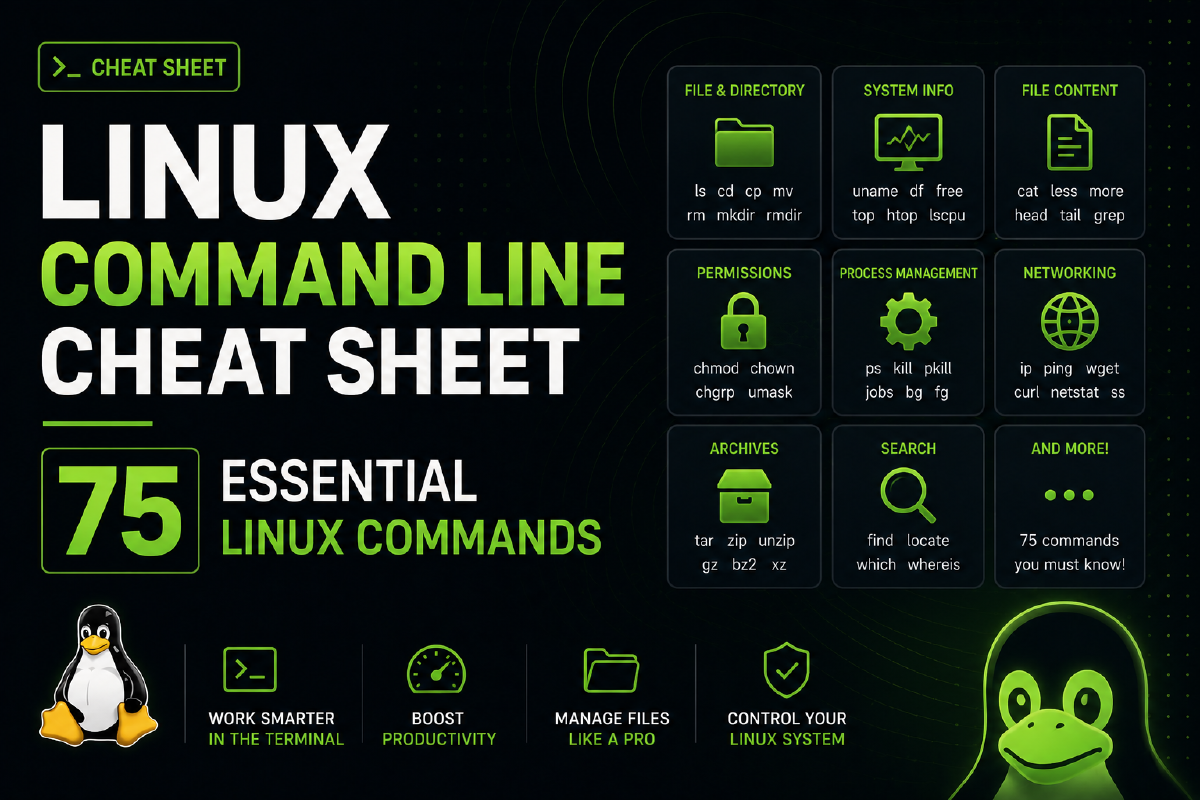

The command line is where you get real control in Linux. It lets you dig into the system, automate tasks, and solve problems directly.
This guide includes a hand-picked list of fundamental Linux commands, grouped by category. You’ll find commands for managing files, users, hardware, networking, and more.
System-Based Commands#
uname- Displays system information: kernel version, machine type, and more.uname -r- Displays the running Linux kernel’s release version.uptime- Shows current time, system uptime, users, and load averages.hostname- Shows the system hostname.hostname -i- Displays the IP address of the current host.last reboot- Shows last reboot times and durations in logs.date- Displays the current date and time information.timedatectl- Displays detailed system clock and time zone information.cal- Displays a simple calendar of the current month.w- Shows who is logged on and their activity.whoami- Displays the username of the current user.finger username- Displays information about a user namedusername.
Hardware-Based Commands#
dmesg- Displays messages from the kernel’s ring buffer.cat /proc/cpuinfo- Displays detailed information about the CPU.cat /proc/meminfo- Displays detailed system memory usage information.lscpu- Lists information about the CPU.lshw- Lists detailed hardware configuration of the system.lsblk- Lists information about all available block devices.free -m- Shows system memory usage in megabytes.lspci -tv- Displays PCI devices in tree format, verbosely.lsusb -tv- Shows USB devices as a tree, verbosely.dmidecode- Displays hardware information from system BIOS.hdparm -i /dev/sda- Displays information of disk/dev/sda.badblocks -s /dev/sda- Checks/dev/sdafor bad blocks, showing progress.
User Management Commands#
id- Displays the user’s UID, GID, and groups.last- Shows list of last logged-in users.who- Displays who is currently logged in.groupadd admin- Creates a new user group namedadmin.adduser Sam- Creates a new user account namedSam.userdel Sam- Deletes the user account namedSam.usermod- Modifies properties of an existing user account.
File Commands#
ls -al- Lists all files, with detailed information, in long format.pwd- Displays the present working directory’s path.mkdir dir1- Creates a new directory nameddir1.rm file1- Deletes the file namedfile1.rm -f file2- Forcefully deletes the file namedfile2.rm -r dir1- Recursively removes directorydir1and its contents.rm -rf dir1- Forcefully deletes directorydir1and its contents.cp file1 file2- Copiesfile1, creating or overwritingfile2.cp -r dir1 dir2- Copiesdir1todir2, including subdirectories.mv file1 file2- Renames or movesfile1tofile2.ln -s /path/to/file_name link_name- Creates symbolic link namedlink_nametofile_name.touch file1- Creates an empty file namedfile1.cat > file1- Creates or overwritesfile1, awaiting standard input.more file1- Displaysfile1content, paginating through output.head file1- Displays the first ten lines offile1.tail file1- Displays the last ten lines offile1.gpg -c file1- Encryptsfile1with a symmetric cipher using a passphrase.gpg file2.gpg- Decryptsfile2.gpg, prompting for the passphrase.wc- Counts words, lines, and characters in files.xargs- Executes commands with piped or file-provided arguments.
Network Commands#
ip addr show- Displays all network interfaces and their information.ip address add 192.168.0.1/24 dev eth0- Assigns IP address192.168.0.1to interfaceeth0.ifconfig- Shows network interfaces and their configuration.ping host- Sends ICMP packets, measures round-trip time tohost.whois domain- Retrieves and displays a domain’s registration information.dig domain- Queries DNS, provides domain’s DNS information.dig -x host- Resolves IP address to hostname, shows reverse DNS info.host google.com- Performs an IP lookup for the domain name.wget file_path- Downloads file from the specified path.netstat- Displays various network-related information and statistics.ss- Displays information about network sockets.
Compression / Archive Commands#
tar -cf backup.tar /home/ubuntu- Creates a tar archive of the/home/ubuntudirectory.tar -xf backup.tar- Extracts files from thebackup.tararchive.tar -zcvf backup.tar.gz /home/ubuntu- Creates compressedbackup.tar.gzarchive of/home/ubuntu.gzip file1- Compressesfile1intofile1.gz; original file is removed.
Install Packages Commands#
rpm -i pkg_name.rpm- Installs the packagepkg_name.rpmusing RPM.rpm -e pkg_name- Uninstalls the specified RPM package.dnf install pkg_name- Installs the specified package using DNF.pacman -S pkg_name- Installs the specified package using Pacman.
Install from Source (Compilation)#
./configure- Checks system compatibility and generates Makefile.make- Compiles code using the Makefile.make install- Installs compiled code into appropriate system locations.
Search Commands#
grep pattern file- Searches for a givenpatternwithin the specified file.grep -r pattern dir1- Recursively searches forpatternin directorydir1.locate file- Finds files namedfileusing a prebuilt index database.find /home -name index- Searches/homefor files namedindex.find /home -size +10000k- Finds files over 10,000 KB in/home.
Login Commands#
ssh user@hostname- Initiates SSH connection to specified host.ssh -p port_number user@hostname- Connects over SSH using a specific port.ssh hostname- Connects tohostnameusing SSH on port 22.telnet host- Connects tohostvia Telnet on port 23.
File Transfer Commands#
scp file.txt remoteuser@remote_host:/remote/directory- Copiesfile.txtto a remote directory.rsync -a /home/ubuntu /backup/- Synchronizes/home/ubuntuto/backup/, preserving attributes.rsync -a /var/www/web/ user@remote_host:/backup/web_backup/- Syncs local directory to remote backup.
Disk Usage Commands#
df -h- Shows human-readable disk space usage.df -i- Shows inode usage for all mounted filesystems.fdisk -l- Lists all partitions and information for all drives.du -sh /dir1- Displays total disk usage of/dir1in human-readable form.findmnt- Lists all mounted filesystems and their properties.mount device-path mount-point- Mounts a device to the specified mount point.
Directory Traversal Commands#
cd ..- Navigates to the parent directory.cd- Changes the current directory to the user’s home.cd /mnt- Changes the current directory to/mnt.